
![Salesforce_Partner_Badge_RGB_min_2[1].png](https://static.wixstatic.com/media/1bcb5d_3eb486ae117d496bb711f956f8ec57ca~mv2.png/v1/fill/w_126,h_120,al_c,q_85,usm_0.66_1.00_0.01,enc_avif,quality_auto/Salesforce_Partner_Badge_RGB_min_2%5B1%5D.png)


The fastest way to create and maintain Visualforce and Lightning page
Make Visualforce and Lightning pages with ease. Customize every element of the page and define your logic via drag & drop, no need for code. You’re free to define details once visually then deploy.
Use 30+ components to craft the design and layout that best fits your business logic while reducing dev time. With support for Apex, CSS, JS, and Salesforce deployment, SkyVisualEditor makes it easy to create truly custom pages for your company.
Layouts & Templates
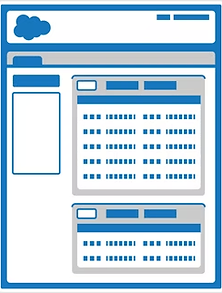
Salesforce Layout
Salesforce Layouts replicate the standard look of Salesforce pages

Wizard Template
Wizard Templates allow you to create pages with transition logic

Lookup Template
Lookup Templates allow you to create lookups with advanced search capability

Search Template
Search Templates allow you to create pages where users can find data quickly

Free Layout
Free Layouts allow you to create pages that look like forms or PDFs

Dashboard Layout
Dashboard Layouts allow you to create pages for dashboards or home pages
Features & Components

Image Component
Add static images to the canvas

DataTable Component
Highly customizable tables of data

PanelGrid Component
Use a PanelGrid to replicate the look of Excel or organize areas

Dev. Only Component
Add your own custom Visualforce code

Section Header Component
Add a section header to the top of your page

Multi-row DataTable Component
Use Multi-row DataTables when you need larger quantities of columns in your related lists

Chatter Component
Add Chatter to the page layouts

Render As PDF
Render your page as a PDF

Fields Component
Add standard or custom fields to your page

Static Text
Place static text on the page for instruction to the user

Related List Component
Place standard related lists onto the page

Freehand Input Component
Capture signatures or drawings

Load Salesforce Layout
Use a Salesforce layout as a starting point instead of a blank page

Version Control
Record changes to your page so that you can recall specific versions later

Details Panel Component
Create a collapsible panel to show related information

Tab Component
Organize your page into intuitive tabs

Custom Apex Extensions
Add custom Apex code into your pages

Button Component
Place custom buttons onto the canvas

Conditional Rendering
Show sections conditionally

Custom JavaScript
Add custom JavaScript into pages

AppComponent Framework
Create your own custom components within SkyVisualEditor

Custom CSS
Add custom CSS into your pages

Data Filters
Add filters to your related information

Label Component
Edit fields labels as needed on the canvas

Import Visualforce Page
Import your pre-existing Visualforce page into your studio for modification